


Navigation
Topic index
The home guide is long on purpose: it covers everyday uninstalls, edge cases, and maintenance habits in one place. This page helps you land on the right section without scrolling blindly. For narrative articles (portable builds, Safe Mode, SmartScreen, and more), use the blog or the glossary for quick definitions.
hibit-uninstaller.org is an independent companion site—not the official publisher. When you are ready to grab the app, use download.html for a focused page with verification reminders.
Core guide sections
Start here for the “front half” of the guide: what HiBit Uninstaller does, how to work through a typical uninstall, and where to read real-world notes from other users.
Extended reference & deep dives
Two large card grids collect dozens of short scenarios (drivers, games, Store apps, enterprise leftovers, and more). We intentionally do not list every card ID here—open the hub and use in-page search in your browser (Ctrl+F) if you need a keyword.
- Extended reference & varied scenarios
First grid — 33 focused topic cards.
- More scenarios & tool-adjacent notes
Second wave — 27 additional cards.
Comparisons, timelines & glossary
These blocks help you decide how aggressive to be (standard uninstall vs forced removal), what “cleanup” can and cannot fix, and which warnings should make you pause.
What the guide covers (at a glance)
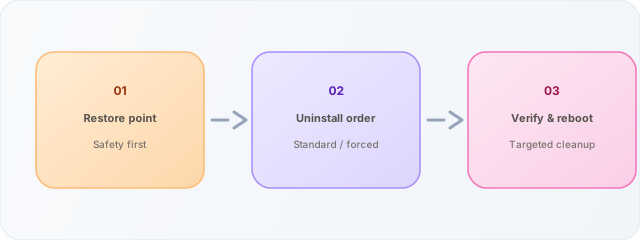
These illustrations match the themes on the home page: uninstalling programs, cleaning leftovers, bundled tools, and the overall workflow from “installed app” to “clean removal.” They are decorative SVGs—not screenshots of HiBit’s UI, which can change between versions.
Who this index is for
Home users often land on one FAQ answer; the links above jump straight to core FAQ, download notes, and troubleshooting without scrolling the entire guide.
Power users use the two reference hubs when they need a dense checklist (drivers, games, enterprise tools). Pair those sections with the blog for narrative explanations.
IT helpers can send coworkers to download.html for a short verification checklist before running unknown EXEs, and to glossary.html for shared vocabulary (MSI, UAC, leftovers).
Nothing here replaces your org’s software policy—we document common Windows uninstall patterns only.
Suggested reading paths
- First-time HiBit user: Hero → How it works → Download → Portable vs installer.
- “Uninstall button greyed out”: MSI article → Troubleshooting → Safe Mode if files stay locked.
- After cleanup feels incomplete: Leftover scan → Reference hub for scenario cards → About · Glossary for any unfamiliar term.
- Security-wary downloader: Download page → SmartScreen & Defender → Privacy.
Quick questions
- Why is the main guide one long page?
- So in-page search, printing, and deep linking stay simple. This topic index exists so you can bookmark entry points without losing that single-source layout.
- Do fragment links work from other sites?
- Yes—
https://hibit-uninstaller.org/index.html#guidesopens the English guide and scrolls to the Guides section (browser-dependent smooth scroll may vary). - Are the two “topic waves” different in tone?
- Both are short cards. The first hub leans toward varied uninstall scenarios; the second adds tool-adjacent notes. Use search inside the page if you need a keyword like “Store,” “driver,” or “MSI.”
- Where do I get the program?
- Use download.html on this site for a focused page; always verify signatures and sources yourself.